Your Pro ecosystem,
in one place.
Horizun Suite installs, updates and diagnoses Horizun Pro tools. Browse the catalog, test connections and connect your MCPs to your AI assistant from one app.
Checking access…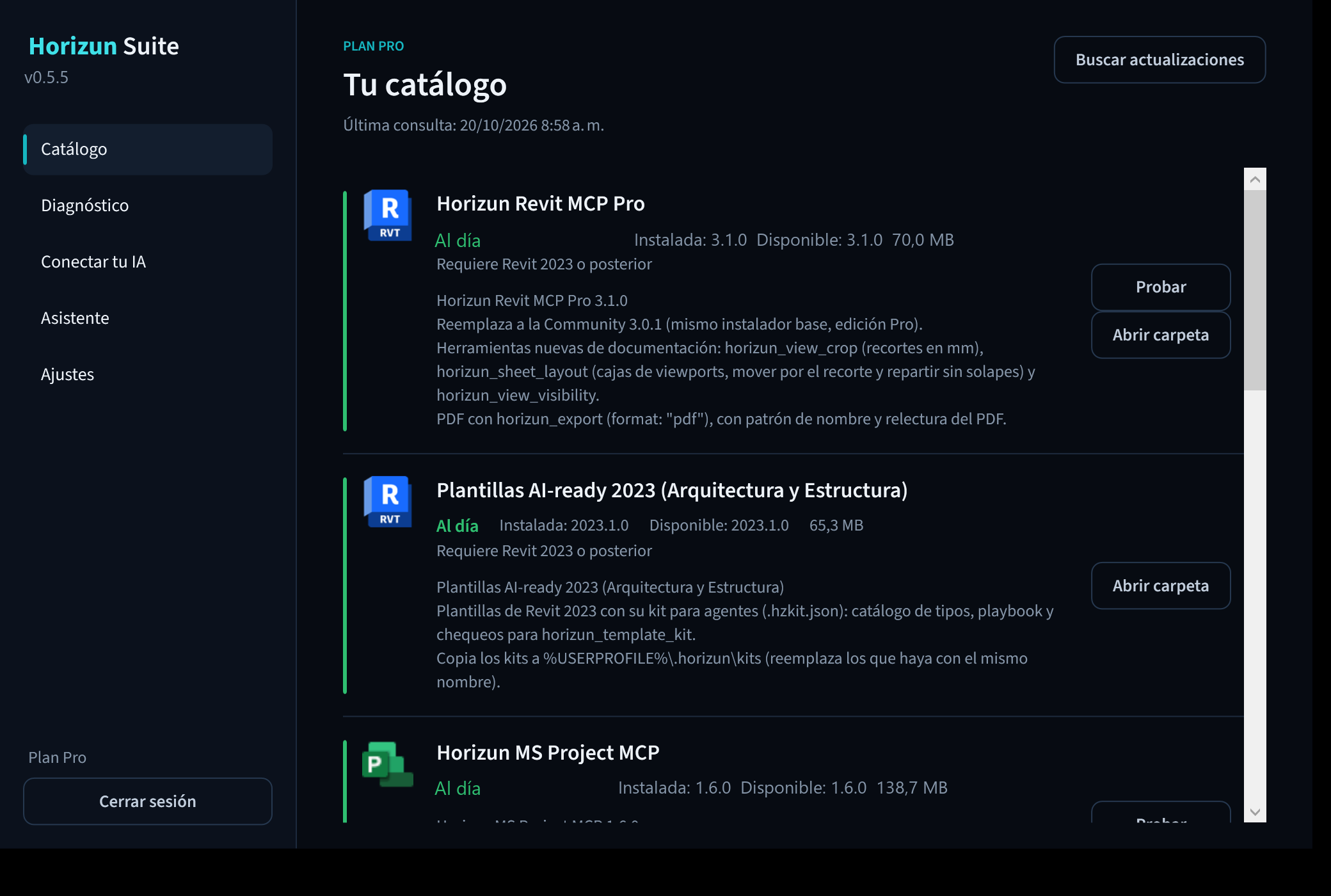
All your tools in view.
The catalog brings together Revit, Civil 3D, NavisCoord, Microsoft Project and Power BI MCPs, PowerBIM Exporters, AI-ready templates and Monitor. Choose a product and let Suite install or update it.
Built for BIM professionals, data specialists and construction teams working with AI agents.
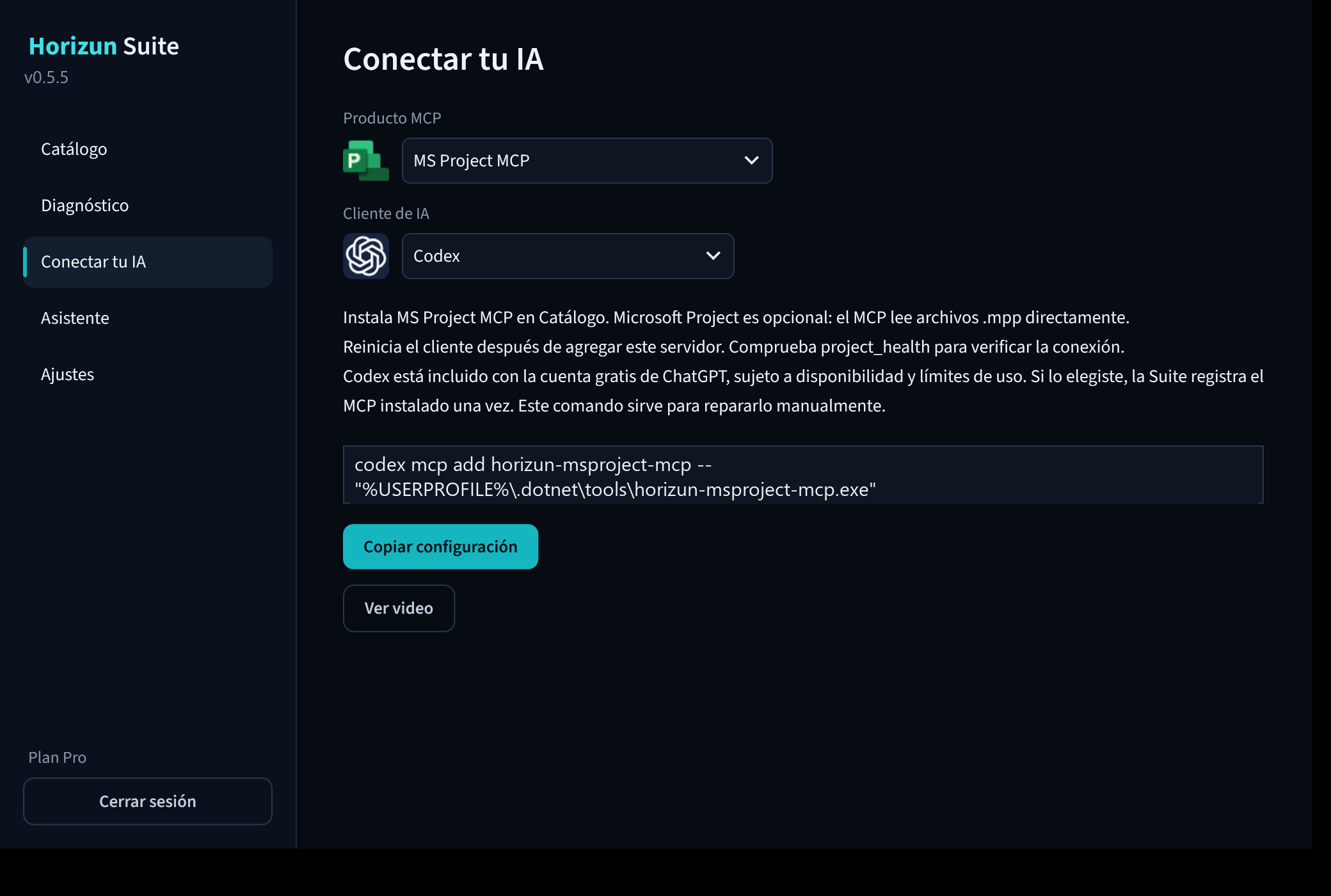
Get your AI ready.
“Connect your AI” shows the steps for your client and product. Suite configures Claude Code and Codex when selected; for other clients it guides you using the actual installed path.
Install with confidence.
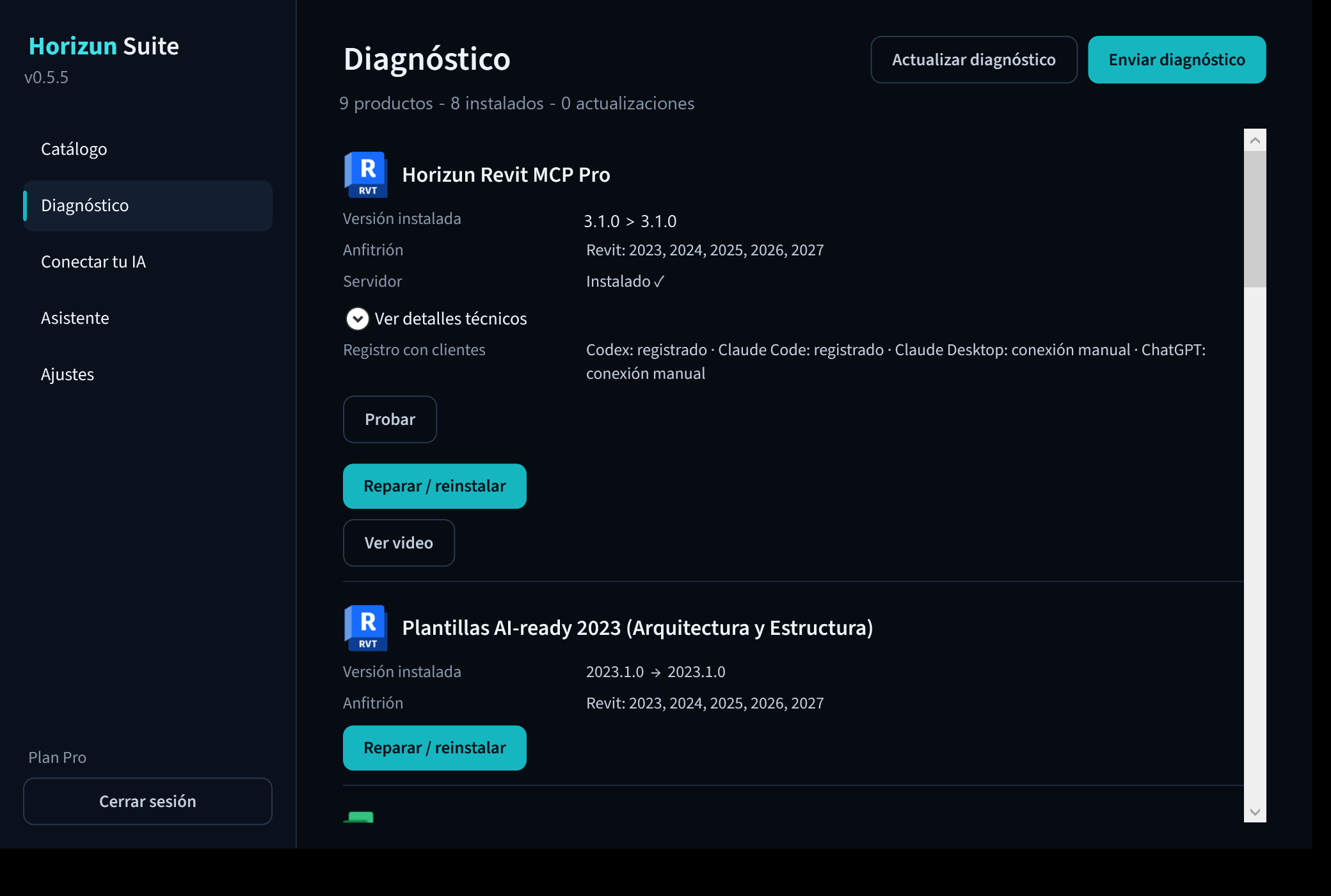
Use “Test” to check connections and Diagnostics to find problems. The built-in assistant answers product and installation questions. Suite updates itself automatically.
Tools for your workflow.
- Revit MCP Pro
- Civil 3D MCP
- NavisCoord
- Microsoft Project MCP
- Power BI MCP
- PowerBIM Exporter for Revit and Civil 3D
- AI-ready templates
- Monitor
Install Horizun Suite.
Requires 64-bit Windows 10 or 11 and a Pro or Max account. The installer is digitally signed by HORIZUN GROUP S.A.S.
Checking access…